 AltLoad
Your iPhone is
the computer now.
AltLoad pairs, signs and installs AltStore, SideStore and LiveContainer, all on the phone, with your own Apple ID.
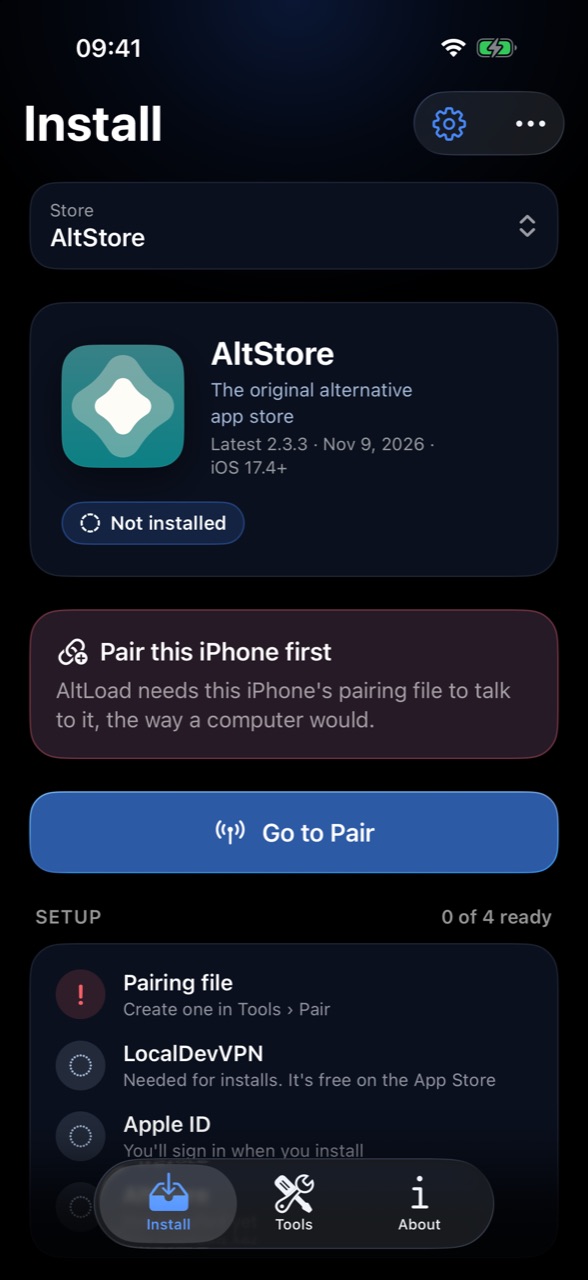
Three steps, all on the phone.
Install AltLoad
Sign it with your own Apple ID from three free apps, or add the DNS profile and tap a signed install.
Pair it with itself
Tools › Pair shows a code in your Dynamic Island. Type it into Settings › Developer.
Pick a store
Turn on LocalDevVPN, choose AltStore, SideStore or LiveContainer, sign in, done.
Get AltLoad.
Open this page in Safari on the iPhone or iPad you're setting up, then pick a way in.
Apple ID Install
About 10 minutes- Signed by you, with any Apple ID
- Can't be revoked by anyone else
- Re-sign every 7 days with a free Apple ID (AltLoad reminds you)
Direct Install
About 2 minutes- Shared certificate
- May stop working without notice
- Needs a DNS profile
Before you start
- iOS 27 or laterOn the iPhone or iPad you're setting up.
-
Developer Mode on
How to turn it on
Settings › Privacy & Security › Developer Mode › On, then restart and confirm.
- Wi-FiPairing runs over your local network.
- About 10 minutesDirect Install takes about 2.
Setting up an iPhone? Open altload.org on it in Safari.
Apple ID Install (No DNS)
Signed by you, on the iPhone, with three free App Store apps. Tick each step as you go; this page keeps your place.
-
01Get rootshell
Pair the iPhone with itself
rootshellThis lets AltLoad's installer talk to your iPhone. You only do it once.
In rootshell's settings, switch Location Diary Mode to Session Only so iOS doesn't pause it while you're in Settings. Then enter these three lines, one at a time:
curl -fsSLO https://github.com/mirazbakis/AltLoad/releases/latest/download/altpair.wasmifconfig en0 > if.txt./altpair.wasm < if.txtrootshell shows a 6-digit PIN. Open Settings › Privacy & Security › Developer Mode and tap the new row at the very bottom, Pair with AltLoad. Enter your passcode, then the PIN. Leave rootshell open.
If this doesn't work
- Pair with AltLoad doesn't appear.Check Developer Mode is on and the iPhone is on Wi-Fi, then run the last two lines again and reopen Settings.
- The PIN was rejected.Run
./altpair.wasm < if.txtagain for a new PIN; each one works once. - rootshell stopped.Set Location Diary Mode to Session Only and allow Local Network access, then start again.
- It says
wasm: command not found.rootshell can't pipe into a.wasmprogram. Use the three lines above (save toif.txt, then read it with<), notifconfig en0 | ./altpair.wasm.
-
02Get LocalDevVPN
Open the tunnel
LocalDevVPNThe installer reaches your iPhone through this local tunnel.
Open LocalDevVPN, tap Connect and allow the VPN configuration if iOS asks. It only links the iPhone to itself; your internet traffic doesn't go through it.
If this doesn't work
- LocalDevVPN won't connect.Open it, remove the VPN configuration, add it again and tap Connect.
- Another VPN is on.Turn it off; iOS runs one VPN at a time.
-
03Get Open Minis
Sign and install
Open MinisThis signs AltLoad with your Apple ID and installs it, so no shared certificate is involved.
In Minis's terminal, enter:
wget -qO- https://altload.org/install.sh | shType the transfer code rootshell shows, then your Apple ID and password. Stay in Minis until it says Done; iOS pauses it in the background.
If this doesn't work
- It can't find the pairing file.Keep rootshell open in the background and type the transfer code it shows.
- Sign-in fails.Check the Apple ID and password. Two-factor codes go to your other devices. If none arrives, type
rto resend it orsto get it by text. - It stops partway.Check LocalDevVPN is still connected, then run the line again.
-
04
Trust it
SettingsiOS won't open an app from a new developer until you trust it.
Settings › General › VPN & Device Management › your Apple ID › Trust. AltLoad is on your Home Screen, signed by you.
If this doesn't work
- AltLoad closes right away.Trust it first. If it still closes, delete it and run step 3 again.
- Your Apple ID isn't listed.Step 3 didn't finish. Run it again and stay in Minis until Done.
Pairing and install run on altpair, AltLoad's own open-source tools. Your Apple ID password is typed into altpair on your iPhone and goes to Apple only.
Direct Install (DNS Required)
Already signed, so it's quick. The certificates are shared, so any of them can stop working without notice.
-
1Get Profile
Add the DNS profile
Safari, SettingsThe profile stops your iPhone from checking whether these shared certificates were revoked, so they keep working longer.
- Tap Get Profile, then Allow.
- Settings › Profile Downloaded › Install.
- General › VPN & Device Management › DNS › AltLoad.
DNS thanks to madNS by WSF Team.
-
2
Pick a signed install
This pageEach one is AltLoad signed with a different certificate.
If one won't install or open, its certificate was revoked. Try another.- Loading…
-
3
Trust and clean up
SettingsiOS won't open AltLoad until you trust its developer.
Settings › General › VPN & Device Management › the developer › Trust. Once AltLoad opens, you can remove the DNS profile in the same place.
Already sideloading?
Skip the steps: add AltLoad to your store, or sign the IPA yourself.
Add the source
Get AltLoad and its updates in AltStore or SideStore.
Source URL: https://raw.githubusercontent.com/mirazbakis/AltLoad/main/source.json
Everything a computer did, on the phone.
Every store
AltStore Classic and Beta, SideStore, SideStore + LiveContainer, stable or nightly. Or any IPA from Files.
Keeps itself signed
An AltServer runs on the iPhone, so AltStore refreshes your apps. AltLoad reminds you the day before anything expires.
App ID friendly
Keep extensions, sign them with the main profile, or strip them. See every App ID and when it frees up in Tools.
Developer tools
JIT for emulators, location simulation, entitlements, certificates, and pairing files for SideStore and StikDebug.
Your Apple ID stays yours
The password goes to Apple and nowhere else. A remembered one lives in this iPhone's Keychain and never syncs. No accounts, no analytics.
Questions
Which install should I pick?
Apple ID Install. It takes about 10 minutes and signs AltLoad with your own account, so there is no shared certificate for anyone else to revoke. Direct Install takes about 2 minutes and needs a DNS profile, but it only works while one of its shared certificates is still valid.
Do I have to do this every week?
No. With a free Apple ID, signed apps last 7 days. Once AltLoad is installed, it refreshes itself and the stores it installed, and reminds you the day before anything expires. AltLoad itself is refreshed from inside the app.
Is my Apple ID safe?
Your password goes from your iPhone to Apple only, typed into AltLoad's own open-source installer. Nothing is stored on a server, and AltLoad never sees it; a remembered one stays in your iPhone's Keychain.
Tapping Install does nothing.
That's Direct Install: open this page in Safari, accept the Terms and add the DNS profile first. If a signed install still won't install, its certificate may be revoked. Pick another one, or use Apple ID Install.
"Pair with AltLoad" isn't in Settings.
Developer Mode has to be on, rootshell needs Local Network access, and both must be on Wi-Fi. Run the two rootshell lines again, then reopen Settings › Privacy & Security › Developer Mode.
It installed but won't open.
Trust it in Settings › General › VPN & Device Management. If it still closes right away, that install's certificate was revoked. Delete it and pick another signed install.
Sign-in fails inside AltLoad.
Keep Settings › Anisette on Automatic. If it keeps failing, tap Reset Anisette Data and try again a few minutes later.
"Not enough available App IDs".
A free Apple ID gets 10 a week. Set App Extensions to Keep, Use Main Profile or Remove Extensions before installing, and check Tools › App IDs to see when the next one frees up.